

Learn how to use Roblox's free game development software, build your own experiences, and explore official ways to earn Robux.
Imagine opening Roblox and seeing other players exploring a world you created.
The environments, the challenges, the rules, and the entire gaming experience started with your own ideas.
Now imagine that those creations could also generate Robux through official monetization features.
That’s one of the possibilities offered by Roblox Studio, a free development tool that allows users to create and publish interactive experiences within the Roblox platform.
Whether you’re interested in learning game development, exploring your creativity, or discovering legitimate ways to earn Robux, Roblox Studio can be an interesting place to start.
In this guide, you’ll learn how the software works, how to create your first game, and how developers can explore monetization opportunities.
What Is Roblox Studio?
Roblox Studio is the official game development software created by Roblox.
It gives users access to a digital workspace where they can design environments, build interactive objects, program game mechanics, and develop experiences for other players.
Unlike traditional gaming, where you explore worlds designed by someone else, Roblox Studio allows you to decide what those worlds look like and how they function.
You can create obstacle courses, adventure games, simulators, educational experiences, and many other types of interactive content.
The software combines visual building tools with programming capabilities, making it possible to start with basic projects and progress toward more advanced development.
Best of all, Roblox Studio is free to download.
Why Should You Consider Using Roblox Studio?
Roblox Studio offers benefits that extend beyond simply creating games.
For users who enjoy technology, gaming, and creative projects, it provides an opportunity to develop practical skills while exploring a familiar digital environment.
Free Access to Development Tools
You don’t need to purchase expensive software to begin experimenting with game development.
Roblox Studio provides access to its core creation tools without a software license fee.
Creative Freedom
You can design environments, develop challenges, and experiment with different gameplay concepts.
From simple obstacle courses to detailed virtual worlds, the possibilities grow as your knowledge improves.
Valuable Learning Opportunities
Creating games can help you develop skills in programming, digital design, logical thinking, and project management.
These abilities can be useful beyond the Roblox platform.
Opportunities to Earn Robux
Eligible creators can explore official monetization features that allow them to generate Robux through their experiences.
A Global Creative Community
Roblox connects creators and players from around the world, offering opportunities to share projects, discover new ideas, and learn from other developers.
How to Download Roblox Studio for Free
Getting started with Roblox Studio doesn’t require purchasing the software.
You’ll need a compatible Windows or Mac computer, an internet connection, and a Roblox account.
Follow these steps to begin.
Step 1: Visit the Official Roblox Creator Website
Access the Roblox Creator Hub, where you can find the official development software, educational resources, and information for creators.
Always use official Roblox channels when downloading the program.
Step 2: Sign In to Your Roblox Account
Log in using your existing Roblox account.
If you don’t have an account, follow the official registration instructions and any applicable age or parental consent requirements.
Step 3: Download Roblox Studio
Locate the download option and obtain the installer for your compatible operating system.
Step 4: Complete the Installation
Open the downloaded installer and follow the on-screen instructions.
Once the installation is complete, launch Roblox Studio.
Step 5: Choose Your First Project
Explore the available templates or start with an empty environment.
Templates can help beginners understand how different elements of a Roblox experience work together.
How to Create Your First Roblox Game
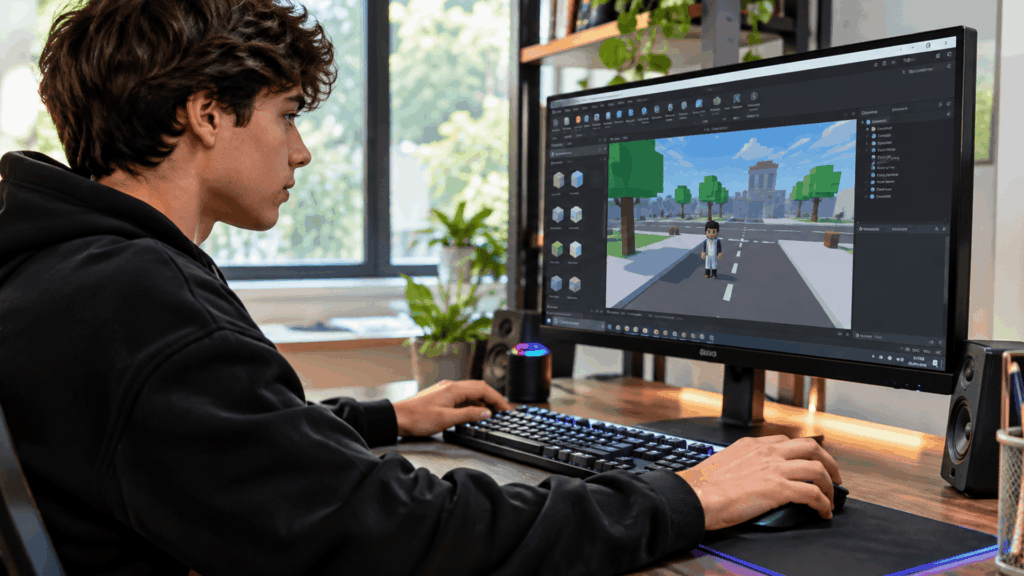
Opening Roblox Studio for the first time can feel overwhelming. There are numerous tools, menus, and features to explore.
However, you don’t need to understand everything immediately.
Start with a small project and focus on learning the fundamentals.
Choose a Simple Game Concept
An obstacle course, commonly known as an Obby, is a popular starting point for new creators.
It allows you to experiment with platforms, movement, environmental design, and basic gameplay objectives.
Other beginner-friendly ideas include exploration maps, treasure hunts, and simple interactive challenges.
Build Your Environment
Use the construction tools to add objects, change colors, adjust sizes, and organize the layout of your virtual world.
Experiment with different materials and lighting options to create an environment that matches your vision.
Give Players a Clear Objective
Think about what players should accomplish when they enter your experience.
Should they complete a challenge, reach a destination, discover hidden objects, or explore a new environment?
A clear objective makes your game easier to understand and more enjoyable to play.
Learn Basic Programming
Roblox Studio uses Luau, a programming language derived from Lua.
You can explore basic construction tools without extensive coding knowledge. However, programming allows you to introduce more advanced interactions and gameplay systems.
As your confidence grows, you can study the official tutorials and gradually experiment with scripts.
Test Your Experience
Before publishing, use Roblox Studio’s testing features to check whether everything works as intended.
Look for technical problems, confusing instructions, and gameplay elements that could be improved.
Testing is an essential part of creating an enjoyable experience.
Publish Your Game
Once your project is ready, use the official publishing tools to make it available according to Roblox’s current publication and eligibility requirements.
Publishing your first experience is an important milestone, even if your initial project is relatively simple.
How Can You Earn Robux With Roblox Studio?
One of the most interesting aspects of becoming a Roblox creator is the opportunity to explore monetization.
Rather than purchasing Robux directly, eligible developers can earn virtual currency through specific activities and transactions associated with their creations.
Here are some of the main monetization options available to creators.
1. Game Passes
Game passes allow creators to offer optional benefits through a one-time Robux purchase.
For example, an adventure game could offer access to an additional area, special customization options, or unique abilities.
When an eligible purchase is completed, the creator receives a portion of the transaction according to Roblox’s applicable policies.
The key is to provide meaningful benefits that enhance the experience without misleading players.
2. Developer Products
Developer products are digital items or features that players can purchase more than once.
Examples may include in-game currency, consumable resources, or temporary gameplay enhancements.
Unlike game passes, which generally involve a one-time purchase, developer products can support repeat transactions.
Creators need to configure these products correctly and implement the appropriate purchase-handling systems.
3. Paid Access Experiences
Some creators choose to charge players for access to their experiences, subject to the requirements of the applicable monetization feature.
This approach may be suitable for games that offer distinctive content or a particularly engaging experience.
Before exploring paid access, focus on building a polished project and clearly communicating what players will receive.
4. Creator Rewards
Roblox offers official reward opportunities for creators through programs such as Creator Rewards.
These initiatives may reward eligible developers for qualifying forms of audience engagement and expansion.
However, not every visit or interaction automatically generates Robux.
Creators should review the current program requirements, eligibility conditions, and reward calculations directly through the Roblox Creator Hub.
What Types of Roblox Games Can You Create?
You don’t need an entirely new gaming concept to begin learning.
Exploring familiar game formats can help you understand development techniques before creating more ambitious projects.
Obstacle Courses
Build platforms, jumping challenges, and different difficulty levels.
Adventure Games
Create interactive worlds filled with exploration opportunities, missions, and discoveries.
Simulation Games
Develop experiences where players can manage resources, improve skills, or progress through different activities.
Building Experiences
Allow players to construct environments, customize spaces, and express their creativity.
Puzzle Games
Design challenges that encourage problem-solving, exploration, and logical thinking.
Educational Experiences
Combine interactive gameplay with opportunities to learn new concepts and skills.
Whatever type of game you choose, focus on developing an original experience with clear objectives and enjoyable gameplay.
Five Tips for Becoming a Better Roblox Creator
Start Small
Your first project doesn’t need to be a massive virtual world.
A simple, well-designed experience can teach you valuable lessons about development, testing, and player interaction.
Take Advantage of Free Learning Resources
Roblox provides official documentation and educational materials that can help you understand its development tools.
Use these resources whenever you encounter unfamiliar features.
Pay Attention to Player Feedback
Other players may notice problems or opportunities that you overlooked during development.
Constructive feedback can help you improve your game over time.
Keep Improving Your Experiences
Fix technical issues, refine gameplay, and introduce new content when appropriate.
Continuous improvement is an important part of developing your skills as a creator.
Focus on Quality Before Earnings
Monetization works best when it supports an experience that people genuinely enjoy.
Instead of concentrating exclusively on Robux, prioritize creativity, functionality, and player satisfaction.
Can Roblox Studio Help You Earn Real Money?
Beyond earning virtual currency, Roblox provides an official program known as Developer Exchange, or DevEx.
Through this program, eligible creators may exchange qualifying earned Robux for real money.
However, participating in DevEx requires meeting specific conditions, including age requirements, minimum eligible earnings, account compliance, and other program criteria.
Not all Robux qualify for conversion, and downloading Roblox Studio does not automatically make someone eligible.
If you’re interested in this opportunity, consult the official Developer Exchange requirements before making financial plans.
Frequently Asked Questions About Roblox Studio
Is Roblox Studio Completely Free?
Roblox Studio is free to download and use for game development. However, optional resources, certain publishing activities, and additional services may involve costs or eligibility requirements.
Can I Use Roblox Studio on My Phone?
The official Roblox Studio development software is designed for compatible Windows and macOS computers.
Playing Roblox on a smartphone is different from using its official development environment.
Do I Need Coding Experience?
No advanced programming knowledge is necessary to begin exploring basic building tools and templates.
Learning Luau becomes increasingly useful as you develop more complex gameplay features.
Will I Receive Robux After Downloading Roblox Studio?
No. Installing the software does not automatically add Robux to your account.
Roblox Studio provides creation tools that may allow you to earn Robux through eligible monetization activities.
How Much Robux Can I Earn?
There is no fixed or guaranteed amount.
Potential earnings depend on factors such as player interest, eligible purchases, experience quality, and the applicable monetization requirements.
Can I Earn Robux Without Spending Money?
It is possible to earn Robux through eligible creation and monetization activities without purchasing Robux directly.
However, developing successful experiences requires time and effort, and certain activities may involve additional costs.
Are Robux Generators a Safe Alternative?
Unofficial Robux generators and websites promising instant virtual currency can expose users to scams, account theft, and misleading offers.
Use official Roblox tools and resources instead.
Your Next Roblox Adventure Could Be One You Create
Every game begins with an idea.
With Roblox Studio, you have the opportunity to transform that idea into an interactive experience, develop new digital skills, and explore official monetization opportunities.
You don’t need professional experience to start learning. You can begin with a simple template, experiment with different tools, and gradually build your confidence.
Whether your goal is to create entertaining games, learn programming, or discover legitimate ways to earn Robux, the first step is exploring the official development platform.
Download Roblox Studio, discover its features, and see where your creativity takes you.
This website is an independent informational resource and is not affiliated with, sponsored by, or endorsed by Roblox. Earnings are not guaranteed. All monetization opportunities are subject to Roblox’s current terms, policies, and eligibility requirements.