
Cloud gaming streams big console and PC games straight to your phone, with no expensive hardware required. Before you jump in, it helps to know what is free and what you really need.
How Cloud Gaming Works on a Phone
Cloud gaming runs the game on a powerful computer in a data center far away from you. Your phone receives a video stream of the game and sends your button presses back to the server. That means even a modest phone can play demanding games that it could never run on its own.
Because the game runs remotely, your phone’s processor matters much less than your internet connection. A stable, fast connection is the difference between smooth play and a blurry, laggy mess. Most of your setup decisions should focus on the network rather than the device.
Many services work through a dedicated app on Android and through a web browser on iPhone. On iPhone, you may need to open the service in Safari and add it to your home screen for the best experience. Each service explains the right setup on its own support pages.
Cloud gaming usually requires an account with the service and, for paid tiers, a subscription. Some services also require you to own the games you want to stream. Reading the details before signing up prevents surprises about what you can actually play.
The big advantage is access to games that are not available as native mobile apps. You can play large console and PC titles on the go, often with your saves synced to other devices. For many players, that flexibility is worth the trade-offs.
The main trade-offs are input delay, image quality and data usage. Even on good connections, there is a small delay between pressing a button and seeing the result. Fast competitive shooters feel this the most, while slower games are much more forgiving.
Free Tiers and Paid Plans
Some cloud services offer free tiers that let you try streaming before paying. These tiers often include limits such as shorter session lengths, waiting queues or ads. They are a great way to test whether cloud gaming works on your connection.
NVIDIA GeForce NOW has offered a free tier that streams games you already own on supported PC stores. The free tier has typically come with session time limits and possible waits during busy hours. Paid tiers improve priority, session length and image quality.
Xbox Cloud Gaming is tied to certain Game Pass memberships. Subscribers can stream a rotating library of games to phones, tablets and other devices. Plan names and included features change from time to time, so checking the current offer is important.
Paid plans usually make sense only after you know you will use them regularly. A free tier or a single month is enough to test your connection and your interest. There is no reason to commit to a yearly plan before you are sure.
Watch for bundles and promotions that include cloud gaming at a discount. Phone carriers, internet providers and device makers sometimes include trial periods. These offers can give you months of streaming for little or nothing.
Always set a reminder before a free trial ends. Many trials automatically convert into paid subscriptions. A quick reminder prevents charges for a service you might not keep.
Internet Speed, Wi-Fi and Data Usage
Cloud gaming needs a fast and, more importantly, stable connection. Most services recommend speeds in the range of several dozen megabits per second for good quality streaming. Consistency matters even more than raw speed, since sudden drops cause stutters and blurry images.
On Wi-Fi, the 5 GHz band usually gives better results than 2.4 GHz for gaming at home. Sitting closer to your router and reducing other heavy usage on the network helps as well. Downloads and video streams on other devices can easily disrupt your session.
Mobile data can work, especially on strong 5G connections, but it comes with a big catch. Cloud gaming can use several gigabytes of data per hour at high quality. A few long sessions can wipe out a limited data plan in days.
Many apps let you lower the streaming quality to reduce data usage. Lower resolution looks softer but uses far less data and is more stable on weak connections. It is a smart setting for mobile data and travel.
Public Wi-Fi in cafes, hotels and airports is often too unstable for good cloud gaming. Shared networks can have high latency and frequent drops. Testing with a short session before starting a long game saves frustration.
Most services include a network test inside the app. Running it before playing tells you whether your connection meets the recommended level. It is an easy way to diagnose problems before they ruin a session.
Controllers and Touch Controls
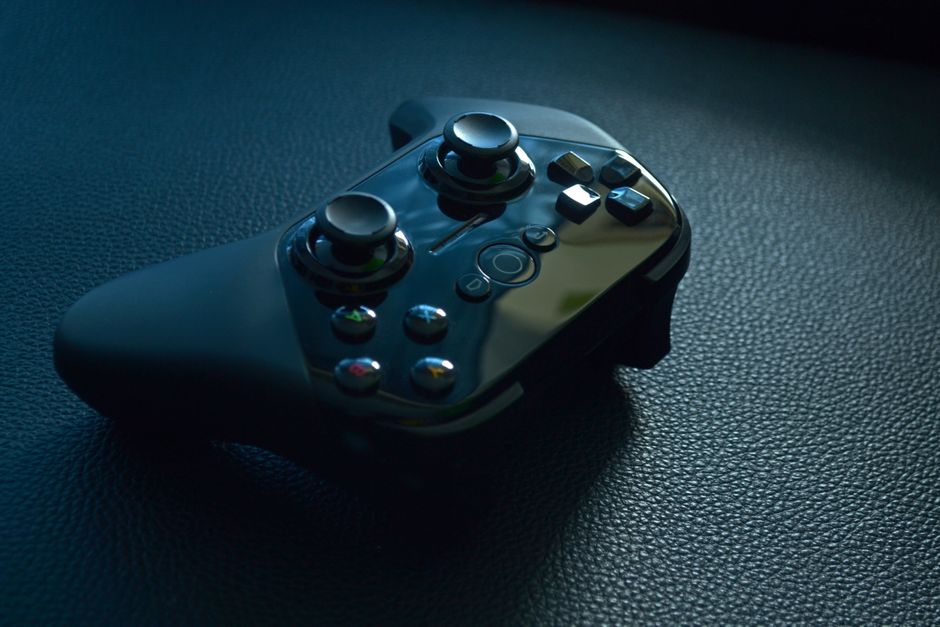
Many cloud games were designed for controllers, so a controller makes a huge difference. Bluetooth controllers from major consoles usually pair easily with modern phones. Clip-style controllers that hold your phone are another popular option.
Some games offer touch controls when streamed to phones. These on-screen layouts can work for slower games, but they rarely match the precision of a controller. For action games, a controller is strongly recommended.
Wired or clip-on controllers can reduce input delay compared with some wireless setups. Combined with a strong network, they help games feel more responsive. Every bit of saved delay matters in cloud gaming.
Comfort matters during long sessions. A phone clip or a stand that holds your phone at eye level reduces strain on your neck and hands. Small accessories can make cloud gaming much more enjoyable.
Check controller compatibility on your service’s support page before buying anything. Most popular controllers are supported, but button layouts and features can vary. A quick check avoids buying the wrong accessory.
If you already own a console controller, start with that. There is no need to spend money on a new controller until you know you enjoy cloud gaming. Your existing gear may be all you need.
Is Cloud Gaming Worth It for You?
Cloud gaming is a strong option if you want to play big games without buying a console or gaming PC. It can also extend your console library to your phone when you are away from home. For many players, that convenience is the main appeal.
It is less ideal for players with slow or unreliable internet. Constant stutters and image drops quickly ruin the experience. In those cases, native mobile games are usually the better choice.
Competitive players may notice input delay more than casual players. Fast shooters and fighting games demand very low latency. Slower adventure, strategy and sports games tend to feel better when streamed.
Budget-conscious players should start with free tiers and short trials. Track how often you actually play before upgrading. Paying only for what you use keeps entertainment spending under control.
Remember to consider data costs as part of the total price. A cheap subscription can become expensive if it pushes you into a bigger mobile plan. Using Wi-Fi whenever possible keeps costs down.
Cloud gaming opens the door to huge games on a small screen. With a stable connection, a controller and smart use of free tiers, it can be a great value. Test it first, then decide whether it fits your play style.